AWS MCP Server Now Generally Available: Secure AI Agent Access to AWS Services
AI agents and coding assistants are powerful, but giving them safe, authenticated access to AWS has always been a challenge—until now. The AWS MCP Server, part of the Agent Toolkit for AWS, has reached general availability, offering a managed remote Model Context Protocol (MCP) server. It provides agents a secure, fine-grained way to interact with over 15,000 AWS API operations without handing over full admin credentials. With new features like IAM context keys, a sandboxed script runner, and real-time documentation retrieval, this tool solves long-standing issues like outdated training data, overly broad IAM policies, and context-window bloat. Below, we dive into the most important questions about this release.
What is the AWS MCP Server and why was it created?
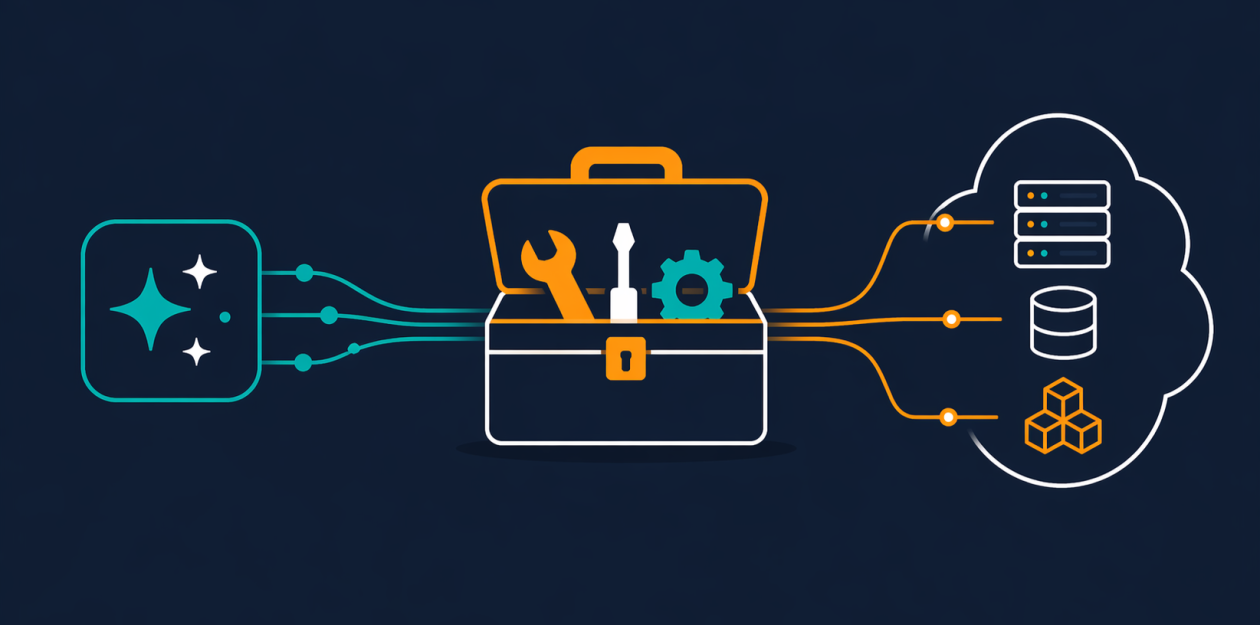
The AWS MCP Server is a managed remote server that implements the Model Context Protocol (MCP) to give AI agents and coding assistants secure, authenticated access to AWS services through a small, fixed set of tools. It was created to solve a fundamental problem: developers wanted to let agents work with AWS at depth, but were wary of granting unconstrained API access. Before MCP Server, agents either had to operate with static, outdated knowledge or risk security holes. The server acts as a trusted intermediary, using the user’s existing IAM credentials to execute any AWS API call, while enforcing fine-grained policies. It’s part of the Agent Toolkit for AWS, which also includes skills and plugins to help agents build on AWS more effectively. With this launch, developers can finally give agents real power without compromising security.
How does the AWS MCP Server keep agents up to date with AWS documentation?
One major pain point with AI coding agents is their reliance on training data, which can be months or even years out of date. Agents might not know about newer services like Amazon S3 Vectors, Amazon Aurora DSQL, or Amazon Bedrock AgentCore, leading them to make poor architectural choices. The AWS MCP Server addresses this with two dedicated tools: search_documentation and read_documentation. These fetch current AWS documentation and best practices at query time, so the agent always works from the latest information. For example, if an agent needs to build a storage solution, it can retrieve up-to-date guidance on Amazon S3 features rather than guessing. Plus, documentation retrieval no longer requires authentication, making it faster and more accessible. This means the agent can produce production-ready infrastructure that follows current AWS best practices.
What are the key tools provided by the AWS MCP Server?
The server offers a compact toolkit designed to minimize context-window usage while maximizing functionality. The primary tool is call_aws, which can execute any of over 15,000 AWS API operations using your existing IAM credentials. New APIs are supported within days of launch. Then there’s the run_script tool, which lets the agent write and execute a short Python script in a server-side sandbox. This sandbox inherits your IAM permissions but has no network access, so it’s safe for processing data without exposing your local system. The search_documentation and read_documentation tools provide real-time documentation retrieval. These tools are designed to be lightweight—each interaction consumes fewer tokens than before, which is critical for complex multi-step workflows. Together, they allow agents to chain API calls, filter results, and compute outputs efficiently in a single round-trip.
What new capabilities were introduced with general availability?
General availability brought several important enhancements. First, the server now supports IAM context keys, so you no longer need a separate IAM permission to use the server itself. You can express fine-grained access controls directly in a standard IAM policy, giving you more control over what each agent can do. Second, documentation retrieval no longer requires authentication, speeding up the process and reducing friction. Third, the number of tokens required per interaction has been reduced significantly, which helps in complex, multi-step workflows where context window limits are a concern. The most significant addition is the run_script tool, which provides a sandboxed Python execution environment. Another major change is the transition from Agent SOPs to Skills—curated guidance and best practices for common tasks, making it easier for agents to follow proven patterns. These improvements make the server more secure, efficient, and developer-friendly.

How does the run_script tool work and what are its benefits?
The run_script tool is a game-changer for agents that need to perform multi-step operations. It allows the agent to write a short Python script that runs server-side in a fully sandboxed environment. This sandbox inherits your existing IAM permissions but has no network access, so the agent can process data without ever touching your local file system or shell. The key benefit is efficiency: instead of making many separate API calls and burning through the context window, the agent can chain multiple AWS API calls, filter the responses, and compute results in a single round-trip. This dramatically reduces both latency and token usage. For example, an agent could list S3 buckets, filter by region, and calculate total storage—all in one go. It’s a secure, performant way to give agents more expressive power without adding risk.
How does the AWS MCP Server ensure security and fine-grained access control?
Security is built into the core of the AWS MCP Server. All API calls are executed using the caller’s existing IAM credentials, meaning the agent can only do what you allow it to do. With the new IAM context keys support, you can define permissions in a standard IAM policy without needing a separate permission just to use the server. This enables fine-grained access—for example, you can restrict an agent to only read certain S3 buckets or launch EC2 instances in a specific VPC. The run_script tool adds another layer: it runs in a sandbox with no network access, preventing exfiltration or unintended system commands. Additionally, because the server uses a fixed set of tools, the attack surface is limited. Documentation retrieval being unauthenticated is a deliberate trade-off for speed, but the core API calls remain protected. Overall, the server gives you the confidence to let agents work deeply in AWS without opening the door to misuse.